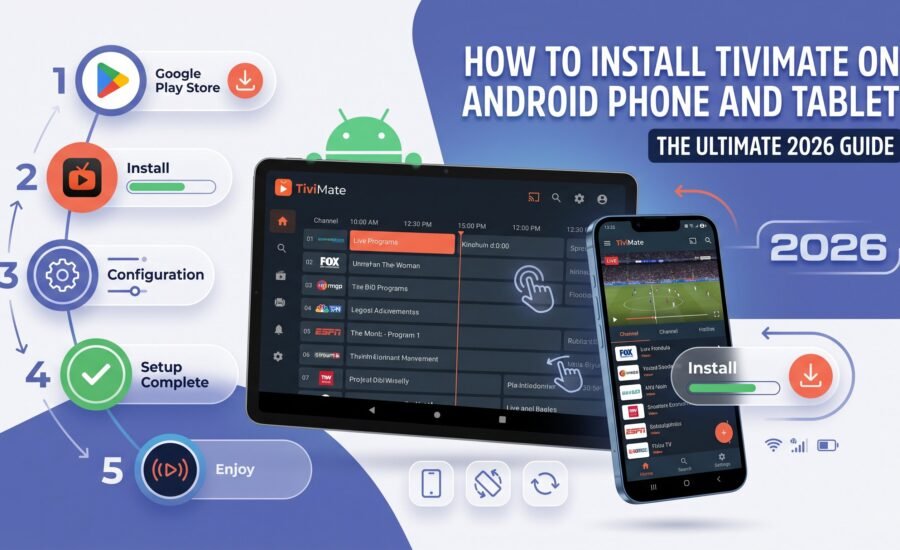
Introduction – Stream IPTV on the Go
If you are looking for the best way to enjoy your iptv subscription, TiviMate is widely considered the gold standard for media players. While many users associate TiviMate with the Amazon Firestick or Android TV boxes, you can actually enjoy this premium interface on your Android smartphone or tablet as well.
In this guide, we will walk you through the step-by-step process of installing TiviMate on your mobile devices so you can take your favorite iptv canada channels with you wherever you go.
Why Use TiviMate for Your IPTV Service?
Before we dive into the installation, it is important to understand why TiviMate is the preferred choice for enthusiasts. Most iptv service providers offer their own apps, but TiviMate provides a professional, cable-like interface that includes:
-
Advanced EPG (Electronic Program Guide): A clean, easy-to-navigate TV guide.
-
Multi-Screen Support: Watch multiple matches or news channels at once.
-
Customizable UI: Change the look and feel to suit your preferences.
-
Fast Zapping: Rapid channel switching with minimal buffering.
Finding a reliable iptv provider is the first step, but using a high-quality player like TiviMate is what truly upgrades your viewing experience.
Step 1: Prepare Your Phone or Tablet
Since TiviMate was originally designed for “Leanback” devices (TVs), it is not always available directly on the mobile version of the Google Play Store for all regions or devices. To ensure a smooth installation, you may need to “sideload” the application.
-
Open Settings on your Android device.
-
Go to Security or Apps & Notifications.
-
Look for Special App Access and then Install Unknown Apps.
-
Select the browser you use (like Google Chrome) and toggle the switch to Allow from this source.
Step 2: Download the TiviMate APK
To get TiviMate on your phone or tablet, you need the APK file (the Android installer).
-
Open your mobile browser and search for the official TiviMate companion or a trusted APK mirror.
-
Download the latest version of the TiviMate APK.
-
Once the download is complete, click on the file in your notification bar or “Downloads” folder and select Install.
Step 3: Setting Up Your IPTV Subscription
Once the app is installed, you need to connect it to your iptv provider. Most providers use either M3U Links or Xtream Codes.
-
Launch the TiviMate app.
-
Click on Add Playlist.
-
Choose Xtream Codes login (this is usually the most stable method).
-
Enter the Server URL, Username, and Password provided by your iptv service.
-
Click Next and wait for the channels and EPG to load.
Step 4: Optimizing TiviMate for Mobile Touchscreens
Because TiviMate is designed for a remote control, navigating it on a tablet or phone requires a small adjustment:
-
Virtual Remote: If your device doesn’t respond well to touch, you can use a “Mouse Toggle” app or simply use the directional swipes built into the TiviMate mobile interface.
-
External Player: For the best performance on a tablet, go to Settings > Player and ensure “Hardware Acceleration” is turned on.
Finding the Best IPTV Canada Experience
To get the most out of TiviMate, you need a high-quality iptv subscription. Not all services are optimized for 4K streaming or offer 99.9% uptime. When looking for an iptv provider, ensure they offer:
-
Local Canadian Channels: Access to Global, CTV, CBC, and CityTV.
-
Premium Sports: Every NHL, NFL, and NBA game without blackouts.
-
Anti-Freeze Technology: Essential for high-traffic live events.
-
24/7 Support: To help you with your M3U or Xtream Codes configuration.
Frequently Asked Questions (FAQ)
Is TiviMate free to use?
TiviMate offers a free version with limited features. To unlock the full potential, including the EPG and multi-screen, you will need a TiviMate Premium account.
Can I use one IPTV subscription on multiple devices?
Most iptv service plans allow for multiple connections. Check with your provider to see if you can stream on your TV and your tablet at the same time.
Why is my IPTV buffering on my phone?
Buffering is usually caused by a weak Wi-Fi signal or a low-quality iptv provider. Ensure you have at least 15-20 Mbps for a smooth HD experience.
Conclusion
Installing TiviMate on your phone or tablet is the best way to ensure you never miss a game or a breaking news story. By combining a professional-grade player with a premium iptv canada package, you can turn your mobile device into a portable television.
Ready to upgrade your viewing? Choose a reliable iptv provider today and follow this guide to start streaming!